NexCore
Choosing a custom GPU server builder is no longer a simple procurement task. It is an infrastructure decision with financial, operational, and technical consequences.
IDC’s Worldwide Artificial Intelligence and Generative AI Spending Guide shows continued growth in AI infrastructure investment across servers, storage, software, and services. Gartner also forecasts strong expansion in worldwide generative AI spending. These reports point to one reality: demand is rising, but rushed purchases can create expensive bottlenecks. A powerful GPU is not enough. Cooling, networking, firmware, power delivery, warranty coverage, and future expansion matter just as much.
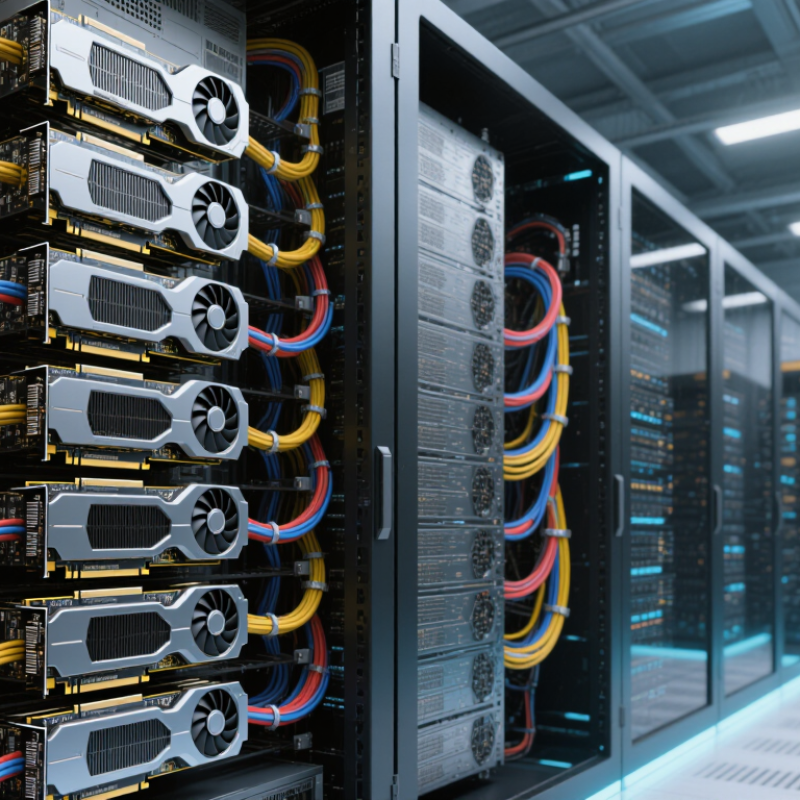
The Uptime Institute’s Global Data Center Survey highlights increasing rack-density and energy challenges for AI workloads. Some systems now resemble compact industrial cabinets, with dense GPU trays, high-speed cables, and demanding airflow requirements. This is where a capable custom GPU server builder should provide measurable engineering evidence, not vague performance claims. NVIDIA founder and CEO Jensen Huang once said, “The more you buy, the more you save.” The remark reflects AI economics, but it also deserves careful reflection. Buying more GPUs does not guarantee better value.
The following seven tips examine what serious buyers should verify before signing a contract. They cover GPU selection, thermal design, server architecture, testing, scalability, support, and total ownership cost. Some recommendations may seem obvious. They are still frequently missed. No checklist removes every risk, but a disciplined comparison can expose weak suppliers before deployment begins.
Define your workload before selecting a custom GPU server builder. Training, inference, simulation, and video processing require different designs. Record model size, dataset volume, batch size, response time, and daily operating hours. A language model serving thousands of requests needs predictable latency. A research team may prioritize memory capacity and high-speed interconnects instead.
Use measured performance, not impressive peak numbers. The 2024 AI Index Report estimates training costs of approximately 78 million dollars for one frontier model and 191 million dollars for another. These figures show how quickly compute demands and infrastructure expenses can grow. Ask builders for results under your conditions, including precision, batch size, GPU count, cooling limits, and storage speed. MLPerf benchmark results also demonstrate that performance changes substantially with workload settings. The benchmark number alone can mislead.
Check memory first. A model that barely fits today may fail after larger datasets or longer context windows arrive. Plan headroom, but do not purchase unused capacity without evidence. A practical test might process 10,000 images or serve 500 simultaneous requests for one hour. Measure throughput, latency, power draw, and error rates. I have seen teams overvalue raw GPU count and overlook data movement. That mistake is expensive. Your requirements may also change sooner than expected, so document assumptions and review them quarterly.
Choosing a custom GPU server builder starts with matching GPU options to real workloads. Training, inference, rendering, and scientific computing place different demands on hardware. A high-core GPU may disappoint if its memory is too limited. That distinction matters.
Ask how much VRAM each workload needs today and six months from now. Large models often fail because the data cannot fit in memory. System RAM matters too, especially when datasets are staged before processing. Check ECC memory, memory channels, and maximum supported capacity. More RAM is not always better. Poor memory balance can reduce performance.
Upgrade paths deserve equal attention. Confirm available PCIe slots, lane allocation, power headroom, cooling capacity, and physical clearance. A server may accept another GPU on paper, yet airflow can become restrictive. Request a written compatibility matrix and a realistic thermal test. Also review storage bays, network bandwidth, firmware support, and replacement procedures. These details reveal whether the builder understands production use.
Test results should reflect your software, not only synthetic benchmarks. Ask for workload-based measurements and repeatable conditions. A small pilot can expose driver, power, or memory problems early. I would not ignore service response times either. Hardware failures are inconvenient; uncertain support is worse. One planning mistake is treating future expansion as guaranteed. Reserve power, slots, and budget, but verify every assumption before signing.
Tip 1: Test the builder’s expertise beyond a product catalog. Ask for GPU thermal maps, power budgets, and documented validation results. An experienced builder explains airflow in practical terms, including fan curves, rack density, and cable clearance. IDC reported that global spending on AI infrastructure reached about $154 billion in 2024. That growth increases demand for reliable, high-density systems. However, fast delivery does not always mean careful engineering. Request references from deployments with similar workloads.
Tip 2: Examine customization at the component level. A useful design should match model size, memory needs, storage speed, network bandwidth, and future expansion. Ask whether the builder can adjust cooling zones, power supplies, chassis depth, and firmware settings. The Uptime Institute’s 2024 survey found that many data-center operators still experienced outages within the previous three years. This makes redundancy more than a sales feature. It should appear in the wiring diagram and service plan. I have seen specifications look impressive while maintenance access remained poor.
Tip 3: Verify system compatibility before signing. Check GPU support, motherboard lanes, driver versions, operating-system images, rack dimensions, and facility power limits. The system should pass workload tests, not only boot successfully. Request burn-in results using your expected batch size and temperature range. Include acceptance criteria in writing. A builder may overlook a small compatibility issue, and that small issue can delay deployment for weeks. Reliability requires evidence, not confident language.
A dependable builder should show evidence, not only impressive specifications. Ask for burn-in records, component traceability, and recent uptime references. I have learned that a polished quote proves little. Request a documented load test using your intended GPU workload. Uptime Institute’s 2023 Annual Outage Analysis found that 60% of reported outages caused losses exceeding $100,000. Redundant power, tested cooling, and clear escalation procedures deserve close attention.
Technical support should include response targets, remote diagnostics, spare-part availability, and engineers familiar with GPU thermal behavior. Ask who answers at 2 a.m. Avoid vague promises. A written service-level agreement should define severity levels, replacement timing, and communication frequency. The International Energy Agency’s Electricity 2024 report projects data-center electricity demand will exceed 1,000 terawatt-hours by 2026. That growth makes power and thermal validation more important than attractive peak-performance claims.
Read the warranty exclusions carefully. Check coverage for GPU failure, fans, memory, power supplies, and shipping damage. Confirm whether labor and return freight are included. Delivery deserves equal scrutiny. Require a realistic production schedule, serial-number confirmation, packaging standards, and acceptance testing after arrival. A staged shipment may reduce risk for large deployments, but it can complicate rack integration. My own mistake was trusting an estimated delivery date without asking about testing delays. That detail matters.
Choosing a custom GPU server builder requires more than comparing the quoted hardware price. Ask for a total-cost model covering GPUs, chassis, power, cooling, licenses, installation, and maintenance. Request realistic energy estimates based on your workload, not laboratory peaks. A cheap server can become expensive beside a noisy, power-hungry rack. Check warranty response times and spare-part availability. Delays cost money.
Security should be designed into the build. Require signed firmware, controlled remote access, encrypted management traffic, and clear data-erasure procedures. Ask who can enter the facility and how access is logged. Experienced builders should explain thermal design, GPU compatibility, airflow, and workload testing in plain language. Request performance results using your models or representative datasets. Generic benchmarks can mislead. I have seen impressive numbers collapse when storage or networking became the bottleneck. That mistake is avoidable, but not always avoided.
Evaluate efficiency at both idle and full load. Measure performance per watt, rack density, noise, and cooling requirements. Leave room for memory, storage, and accelerator upgrades. Confirm whether the motherboard, power supply, and software stack support future expansion. A reliable builder should document every component and disclose limitations. Ask for service procedures, monitoring tools, and administrator training. Long-term value depends on usable uptime, not impressive specifications. Recheck assumptions after a pilot run.
Estimated annual electricity cost rises with server load and facility efficiency. Use this view to compare power design, cooling efficiency, and long-term operating expenses.
Calculation basis: 24/7 operation, 365 days per year, electricity at $0.12 per kWh, and facility PUE values of 1.2 and 1.6. Annual cost = IT load × PUE × 8,760 hours × electricity rate. When evaluating a custom GPU server builder, also verify security controls, warranty coverage, upgrade paths, component compatibility, serviceability, and transparent total cost of ownership.
Record model size, dataset volume, batch size, response time, and daily operating hours. Training and inference need different hardware designs. Be specific.
Peak figures may not match your software or operating conditions. Request tests using your precision, batch size, GPU count, cooling limits, and storage speed. Real workload results matter more.
Check memory requirements today and six months ahead. Leave reasonable headroom for larger datasets and longer context windows. Do not buy unused capacity without evidence. That balance is difficult.
Process 10,000 images or serve 500 simultaneous requests for one hour. Measure throughput, latency, power draw, and error rates. Also watch temperature changes and failed requests. Small tests expose big problems.
Review system RAM, ECC support, memory channels, PCIe lanes, storage speed, and network bandwidth. Data movement can limit performance, even with many GPUs installed. I once focused too much on GPU count. That was costly.
Confirm open PCIe slots, power headroom, cooling capacity, and physical clearance. Ask for a written compatibility matrix and thermal test. A server may support another GPU on paper, but airflow could fail in practice.
Look for response targets, remote diagnostics, spare parts, and engineers familiar with GPU temperatures. A written service agreement should define severity levels and replacement timing. Ask who handles urgent failures overnight. Vague promises are not enough.
Confirm production timing, serial numbers, packaging standards, and arrival testing procedures. Check whether shipping damage and return freight are covered. Test the server before full deployment. Estimated dates can slip.
Choosing the right custom gpu server builder begins with a clear understanding of your workload, including AI training, data analysis, rendering, virtualization, or other intensive applications. Define the required GPU performance, processing scale, memory capacity, storage needs, and network requirements before comparing available configurations. Consider GPU architecture, system memory, cooling, power delivery, and future upgrade paths to ensure the server can adapt as your workload grows.
A capable builder should offer genuine customization, strong compatibility between components, and proven experience designing stable systems. Review reliability testing, technical support, warranty coverage, delivery timelines, and maintenance services before making a decision. It is also important to evaluate the total cost of ownership, including energy use, security features, operational efficiency, and potential expansion expenses. The best choice is not always the lowest initial price, but the solution that delivers dependable performance, manageable operating costs, and long-term value for your organization.
